
How To Use
Getting started with our random date generator is simple and intuitive. Whether you need a random date picker for a single event or a date spinner to decide a deadline, follow these steps:
1. Select Your Dates
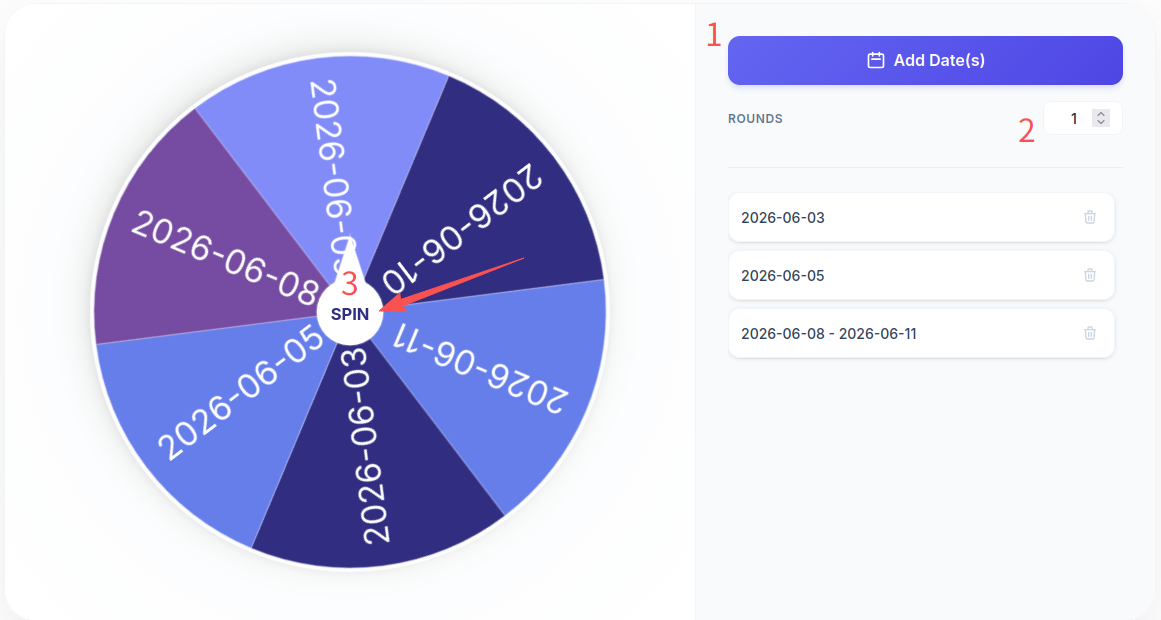
Click the “Add Dates” button to open the interactive calendar. You can pick a single specific day or select a date range. If you choose a range, every day within that period will be added to the wheel of dates.
2. Manage Your List
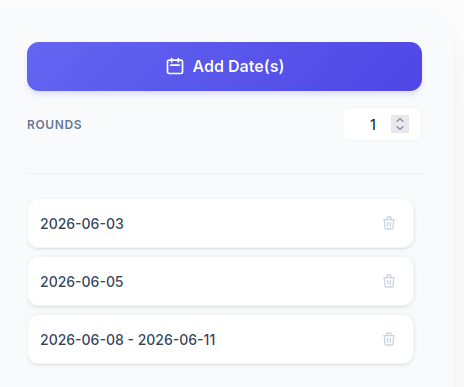
Your selected dates will appear in the list on the right. If you’ve added too many, you can easily remove any date by clicking the trash icon.
3. Set the Number of Rounds
If you need multiple random dates—for example, picking three different days for a series of meetings—adjust the “Rounds” input to spin the wheel multiple times automatically.
4. Spin the Date Wheel
Hit the spin button and let the date wheel decide your next big move!
The Story Behind This Page
We’ve all been there—staring at a calendar, paralyzed by indecision. “When is the best time to start that project?” “Which day should I finally book that trip?” Often, the biggest obstacle to success isn’t the difficulty of the task itself, but the endless cycle of overthinking the starting date.
I created this date wheel based on a simple belief: once you commit to a date and take action, you’re already halfway to success. From my own experience, every time I stop planning and start doing, the difficulties I previously imagined seem to resolve themselves. The anxiety we feel is usually just a symptom of hesitation; when we haven’t started, challenges loom as large as the sky.
By using a random date generator, you remove the burden of choice and replace it with a sense of ritual. When the wheel stops, it’s no longer just a random selection—it’s a commitment. Whether you are using it as a random month generator to plan your yearly goals or a days of the week wheel to pick a recurring habit, the goal is to move from “maybe someday” to “on this exact day.”
I hope this tool brings you the strength and courage to stop overthinking and start acting.
Frequently Asked Questions
Is my data stored on a server?
No. This random date picker operates entirely within your browser. Neither your selected dates nor the results are sent to any server, ensuring your privacy is fully protected. Once you close the page, all data is cleared.
Can I pick a random month or year specifically?
While the tool uses a full calendar, you can easily simulate a month wheel or random year generator by selecting the first day of each month or year you are considering and adding them to the wheel.
Can I customize the labels on the wheel?
This specific tool is optimized for dates. If you need to add custom text or names instead of dates, we recommend using our Random Wheel Page.